

Business
Open your company account
Three tasks from your phone or your computer. We show you every screen exactly as you will see it.
Your details as legal representative, the company's details and your login.
Go to b2b.efyfinance.com and tap Sign up.Go to b2b.efyfinance.com and click Sign up, below Sign in.
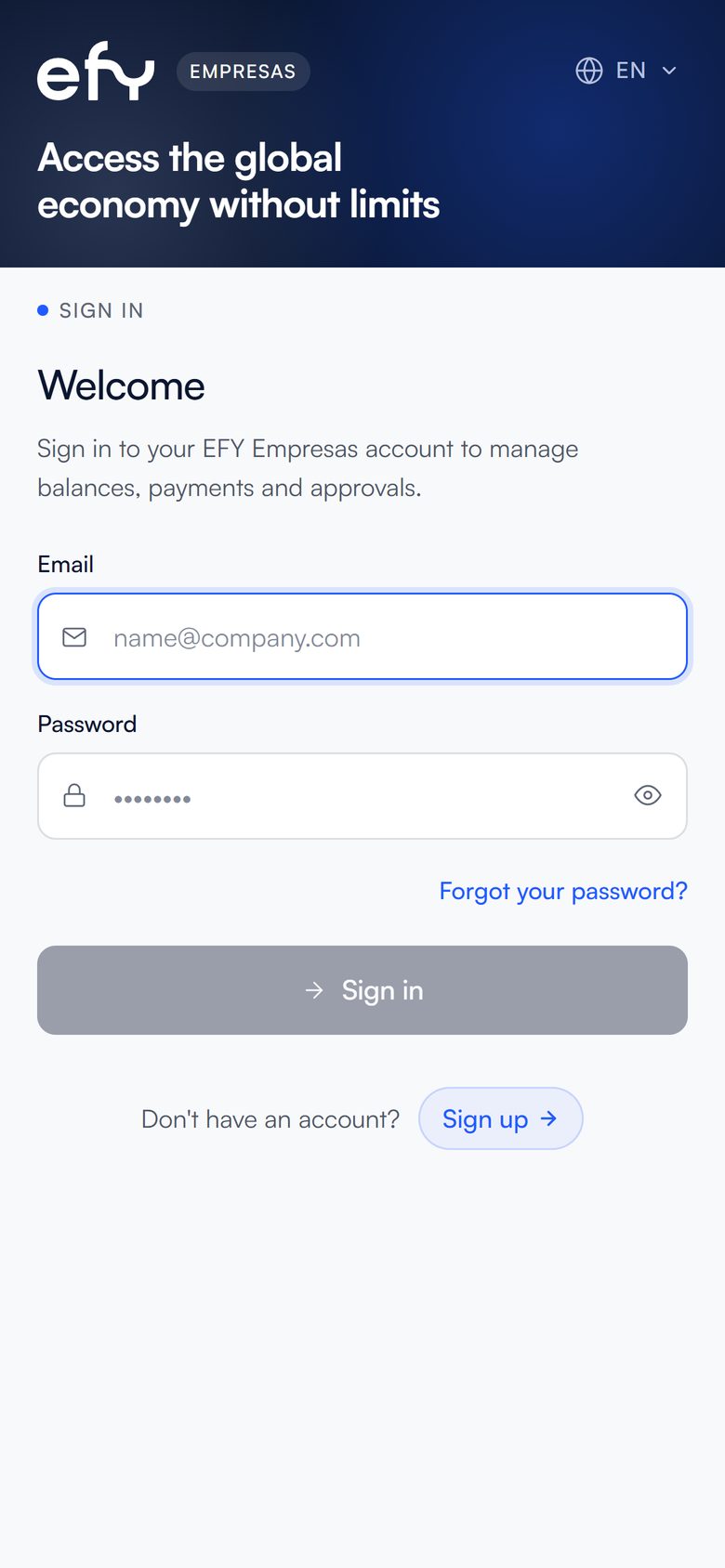
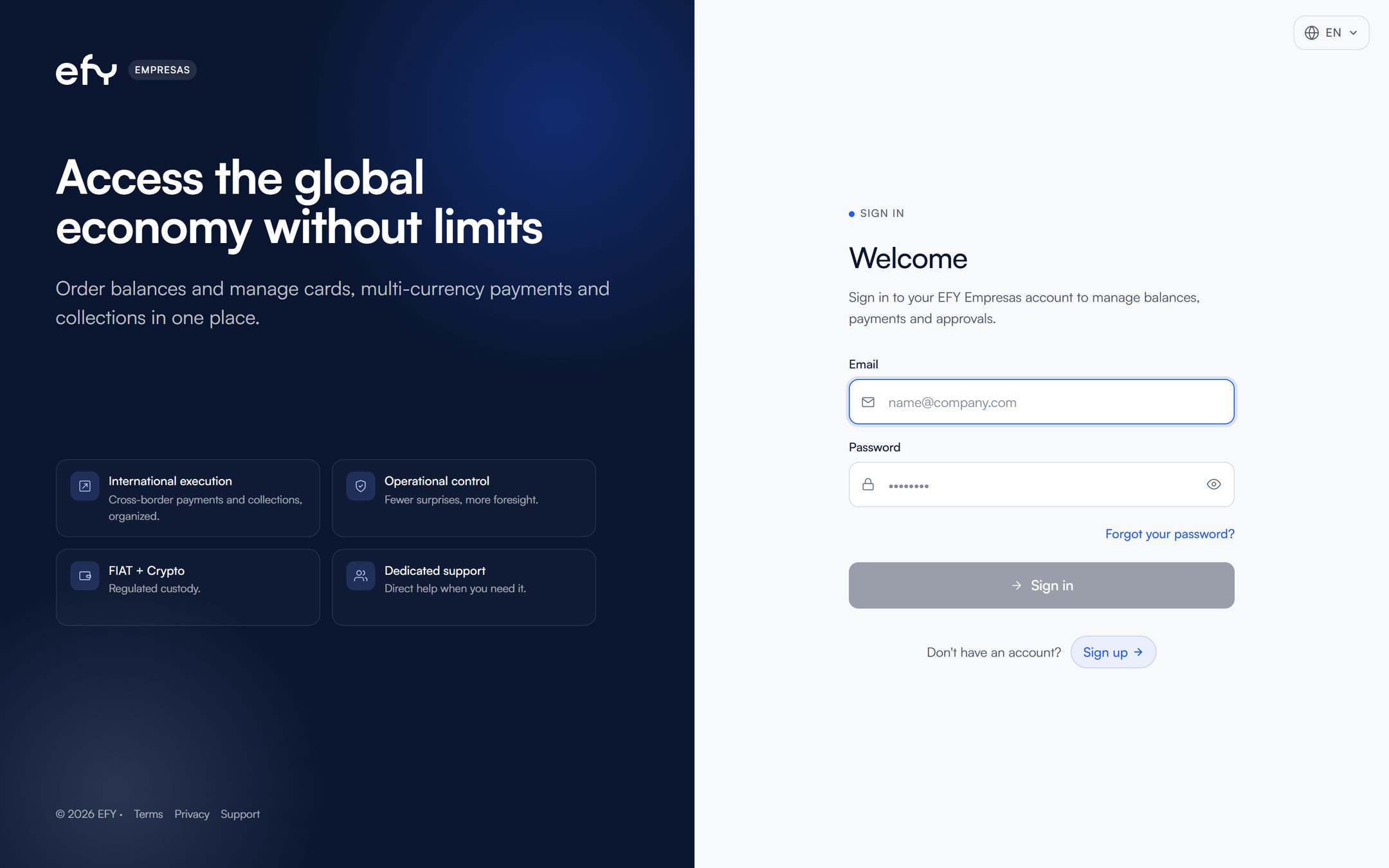
If you already have an account, log in with your email and password.
Tap I'm a legal representative and then Continue.Click I'm a legal representative and then Continue.
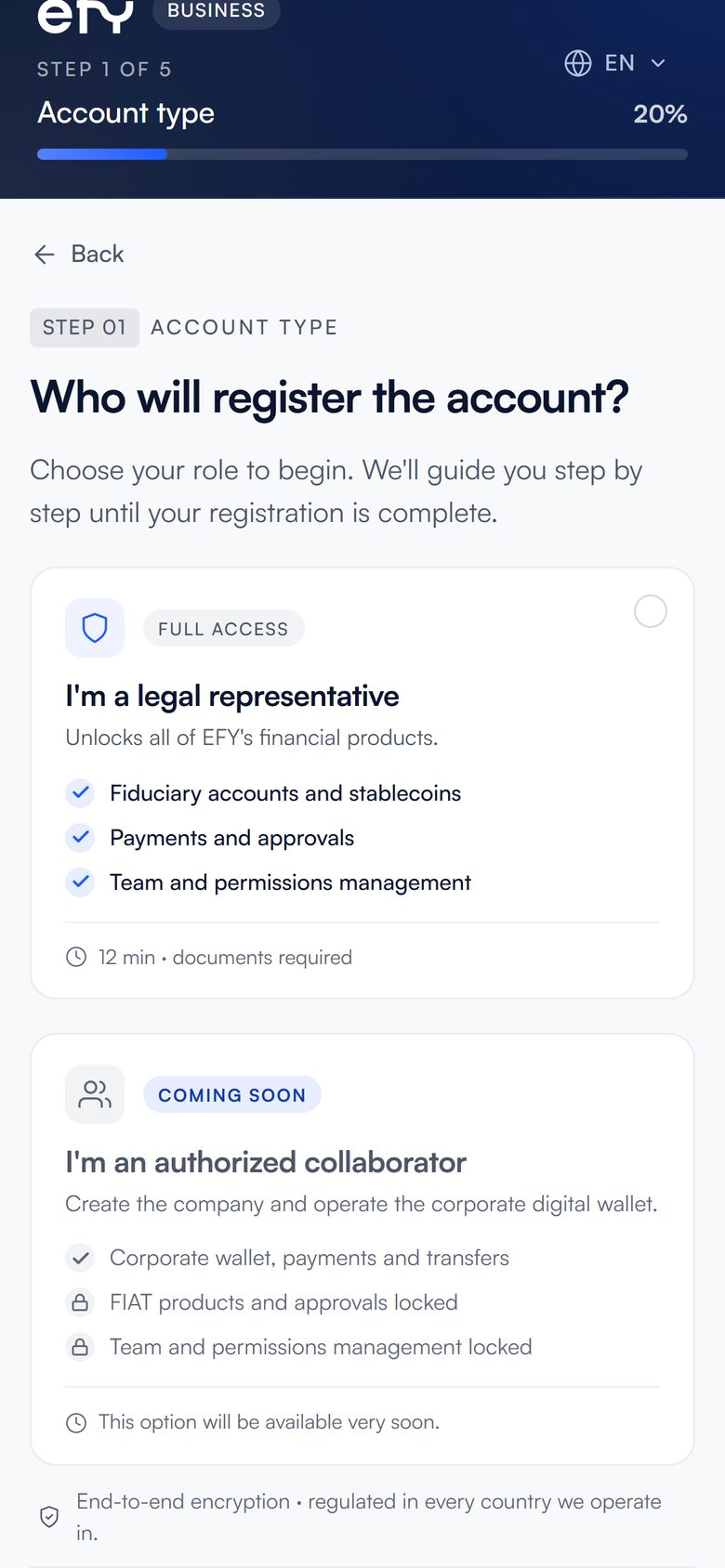
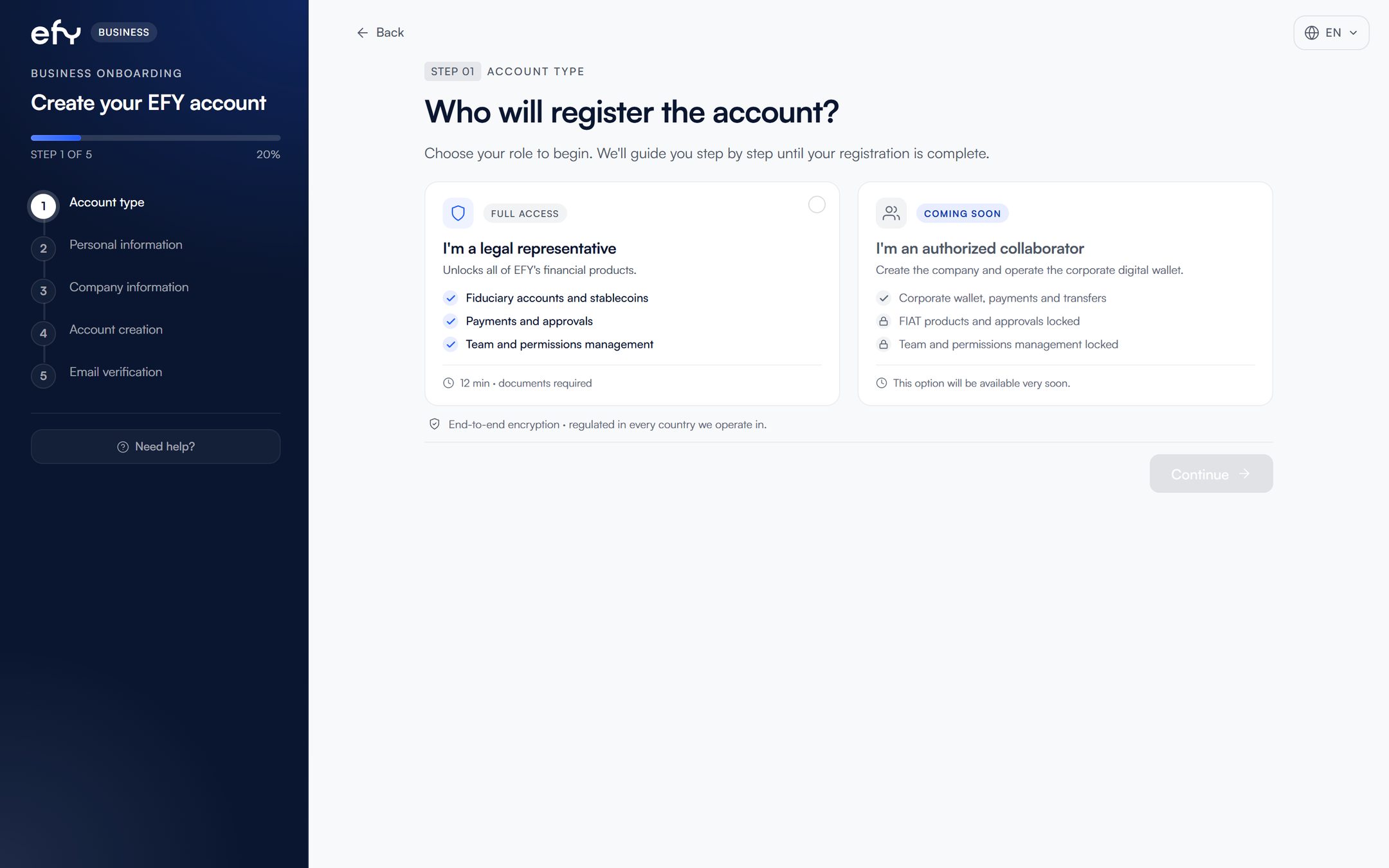
The authorized collaborator option will be available soon.
Enter your details as legal representative: name, nationality, tax residence, address, contact and role.
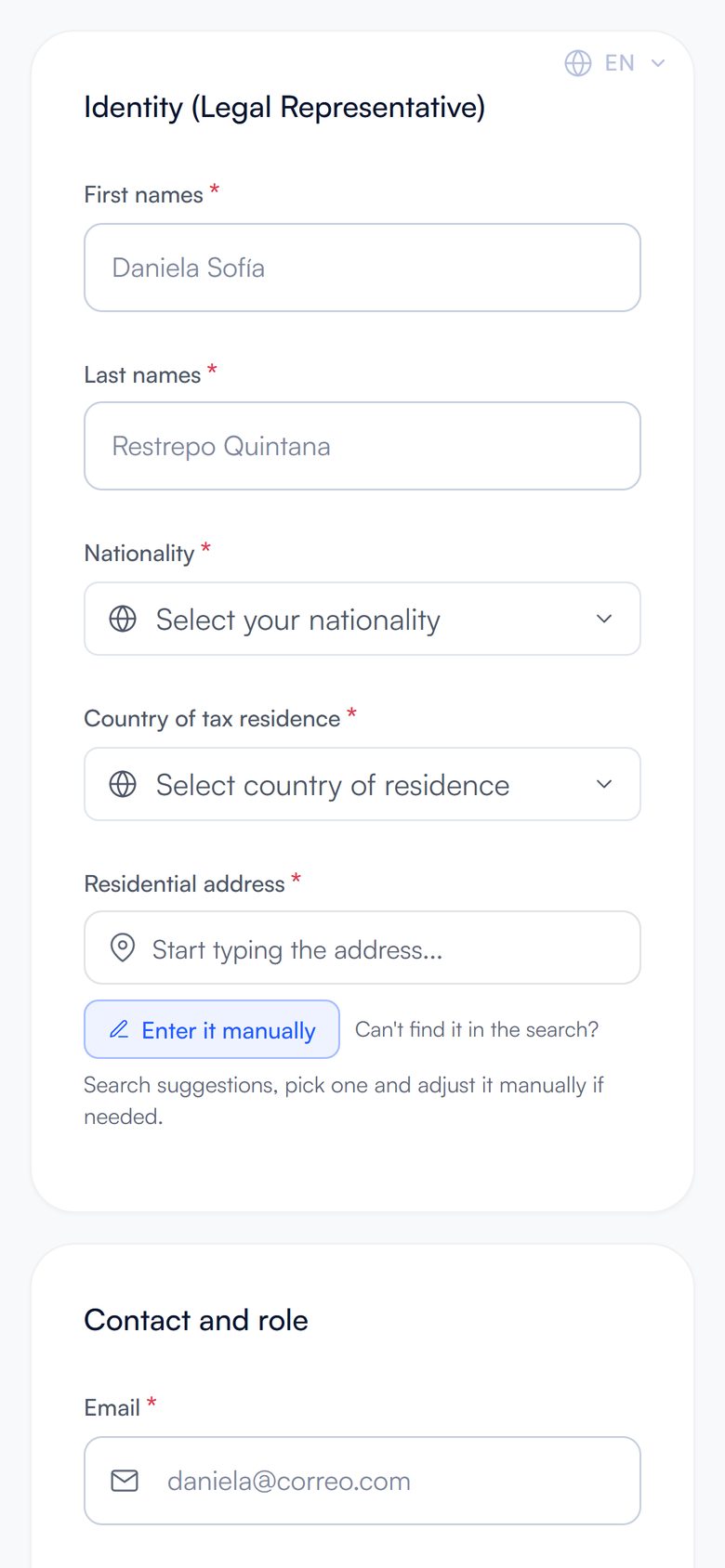
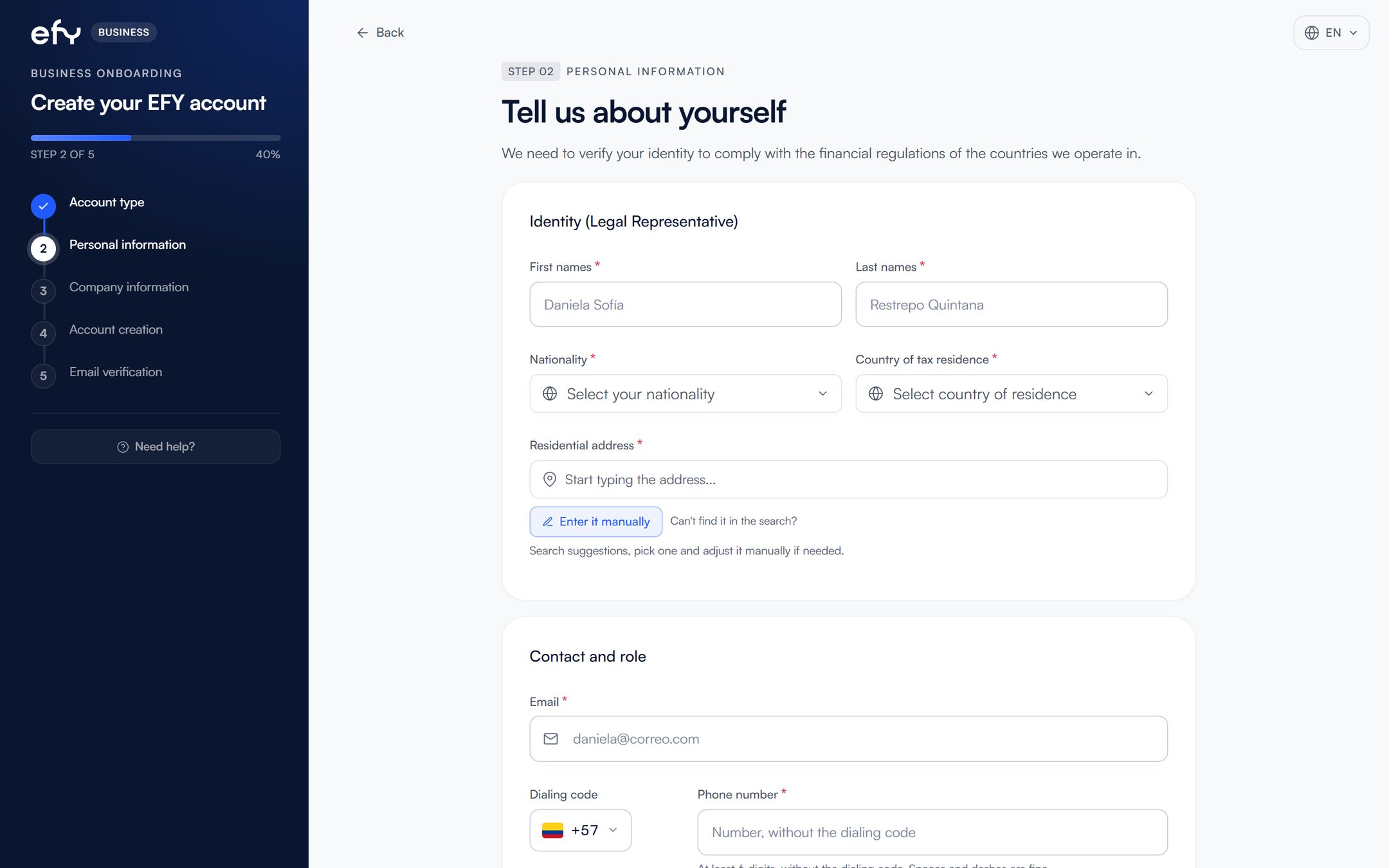
Enter the phone number without the country code, with at least 6 digits.
Enter the company's legal details.
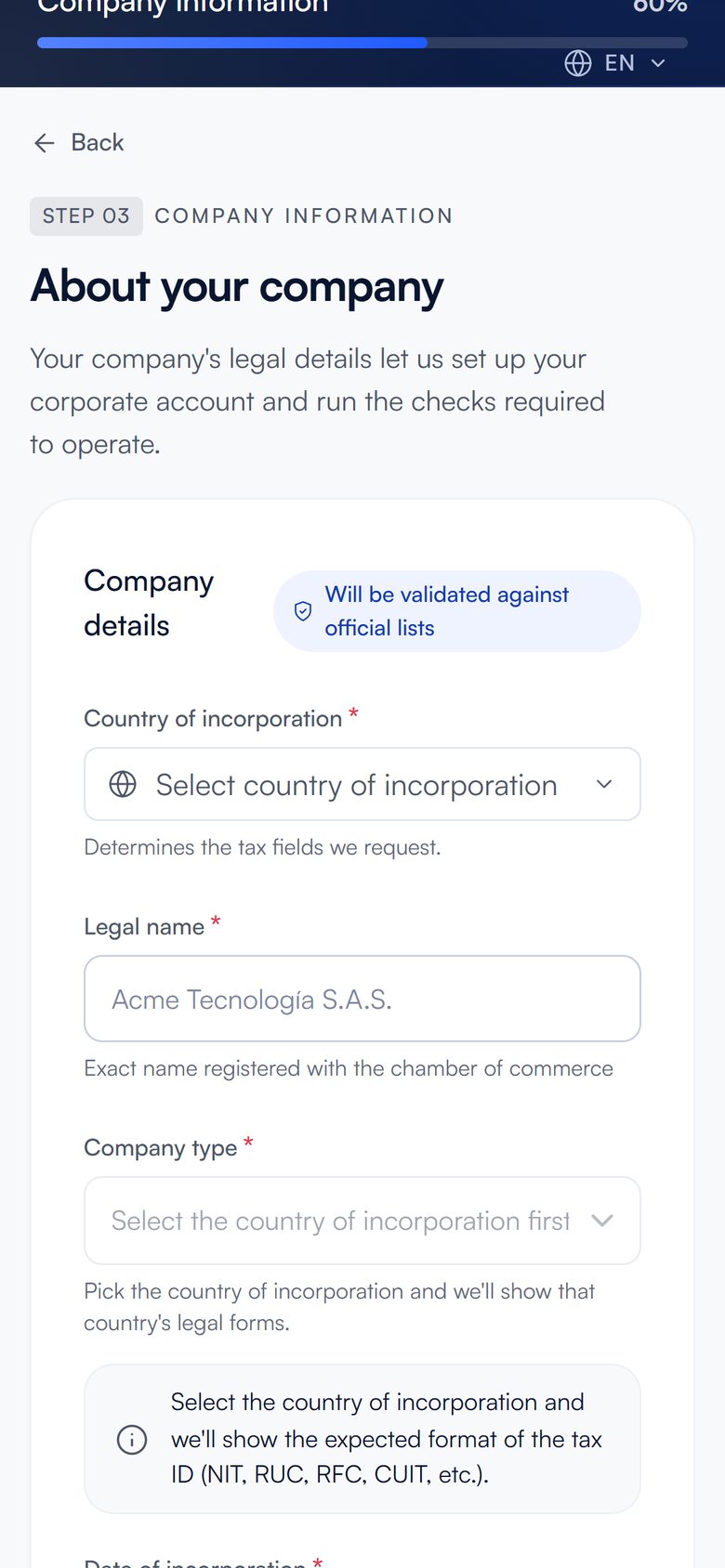
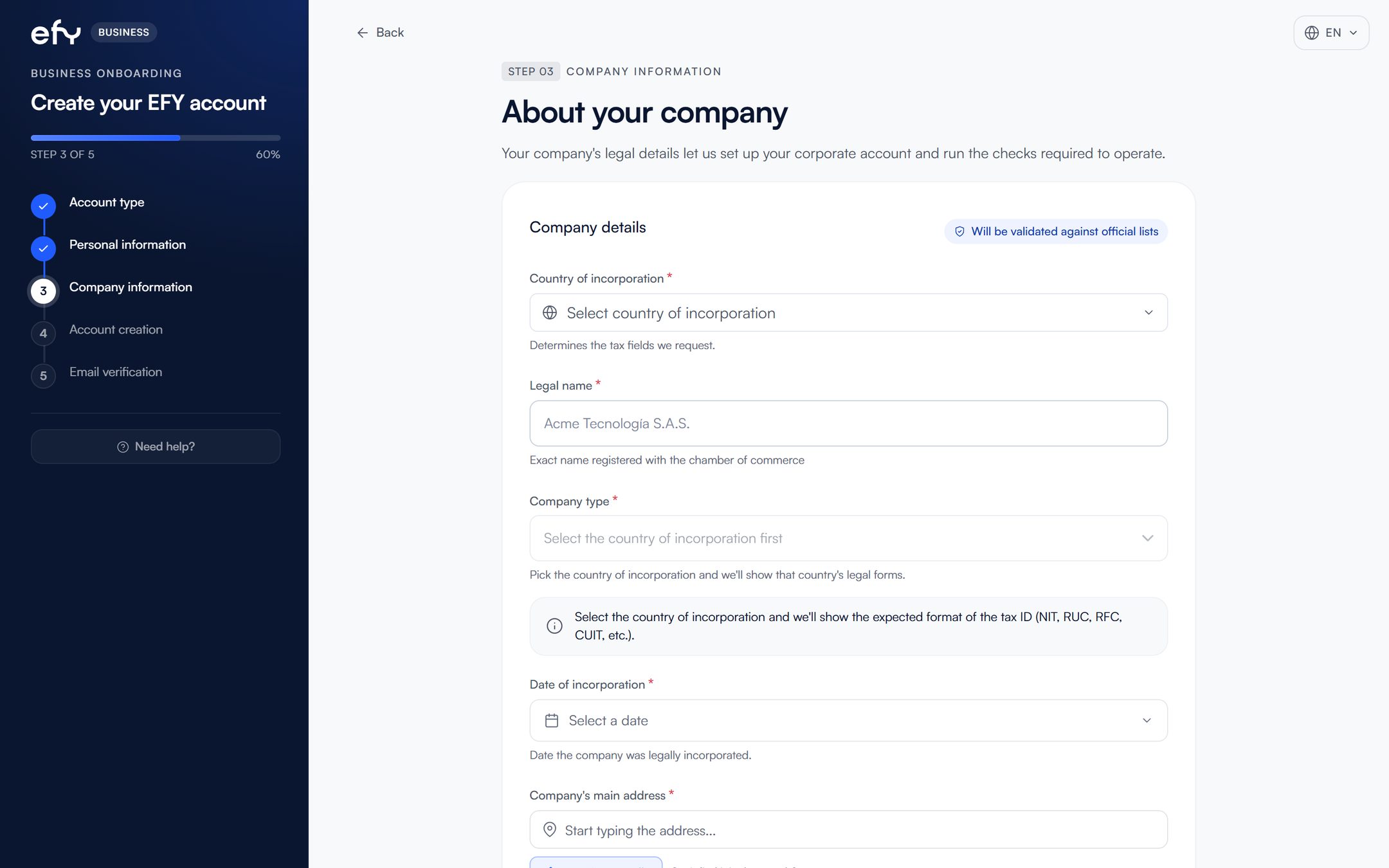
Choose the country of incorporation first: the company type and the tax ID depend on it.
Create your login email and password and accept the terms.
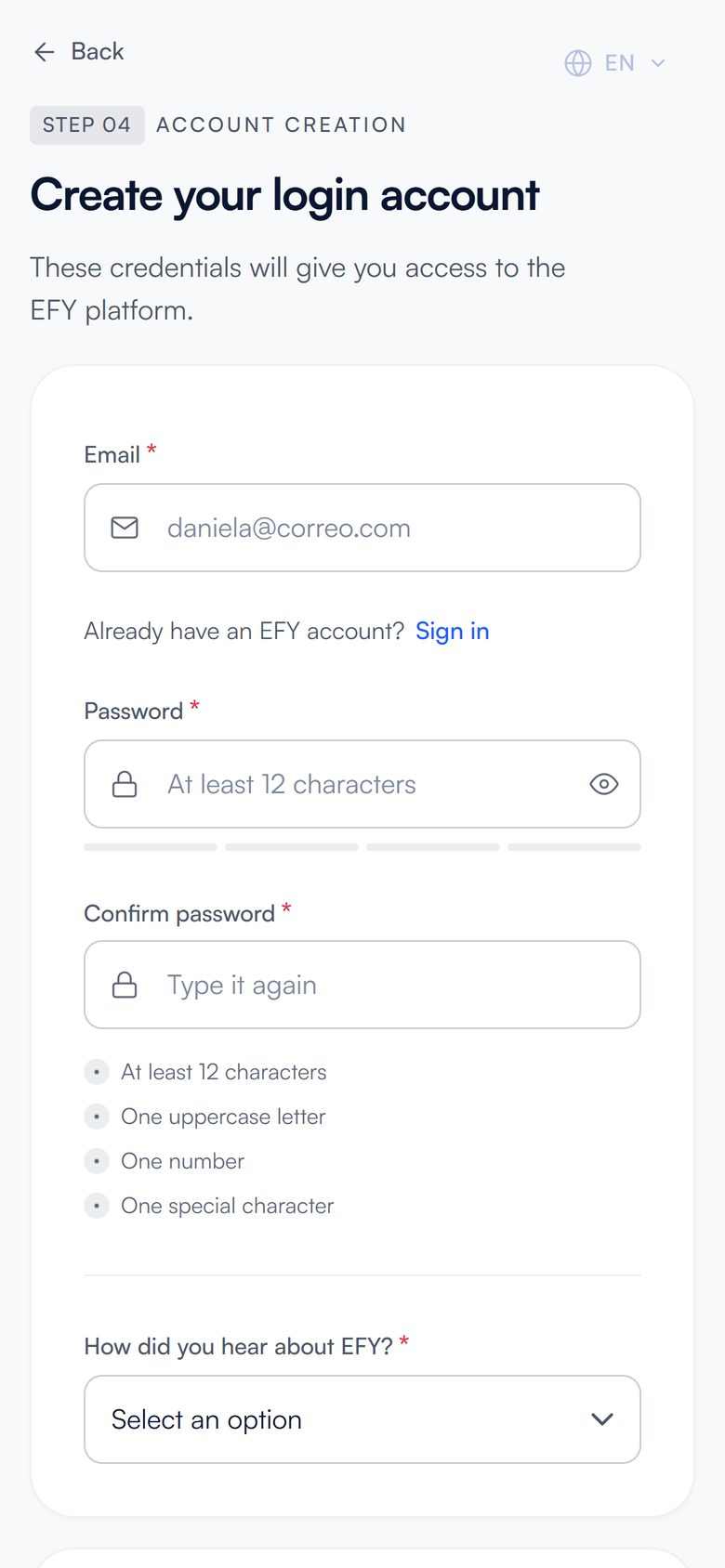
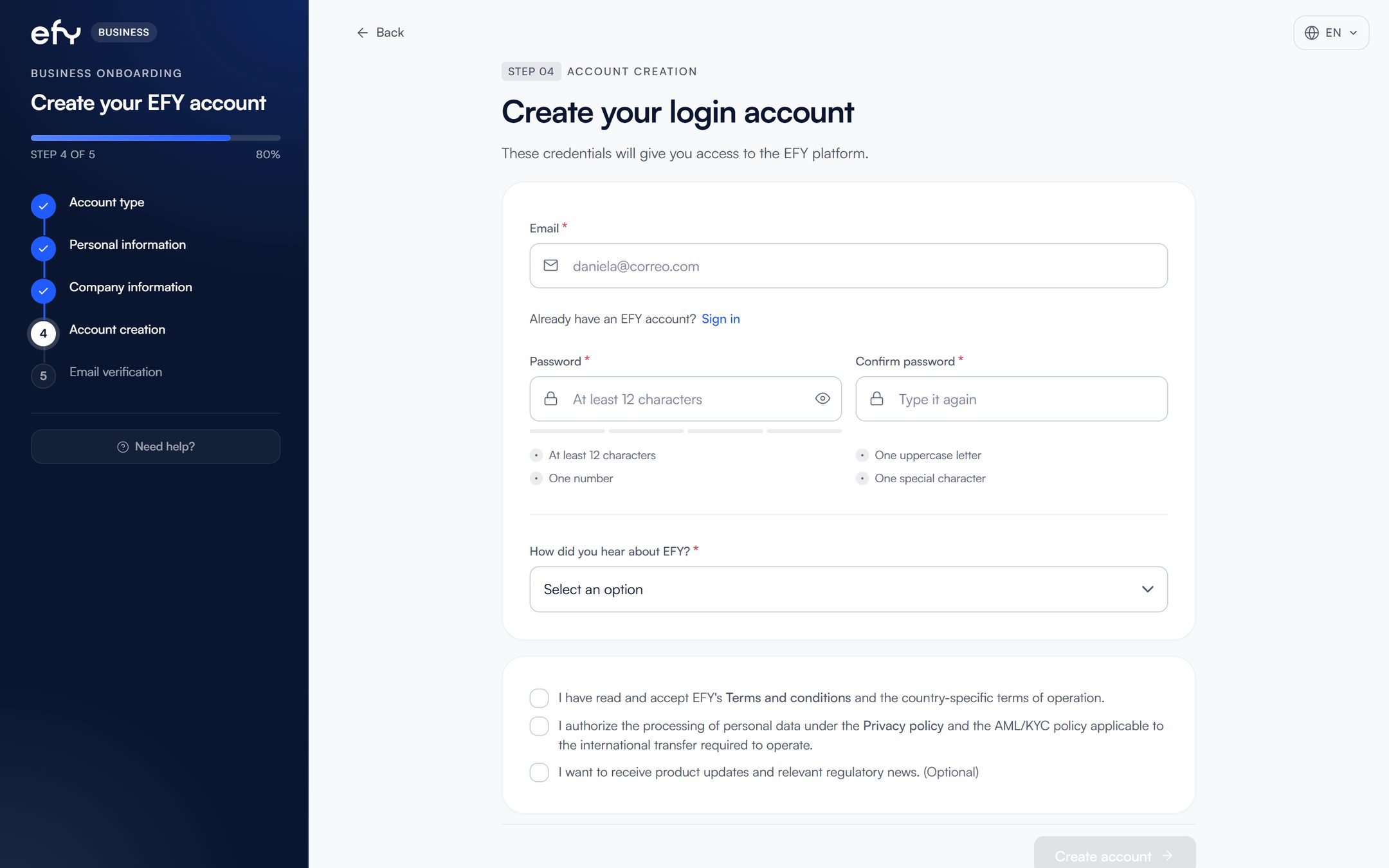
The password needs at least 12 characters, one uppercase letter, one number and one special character.
Enter the 6-digit code we sent to your email.
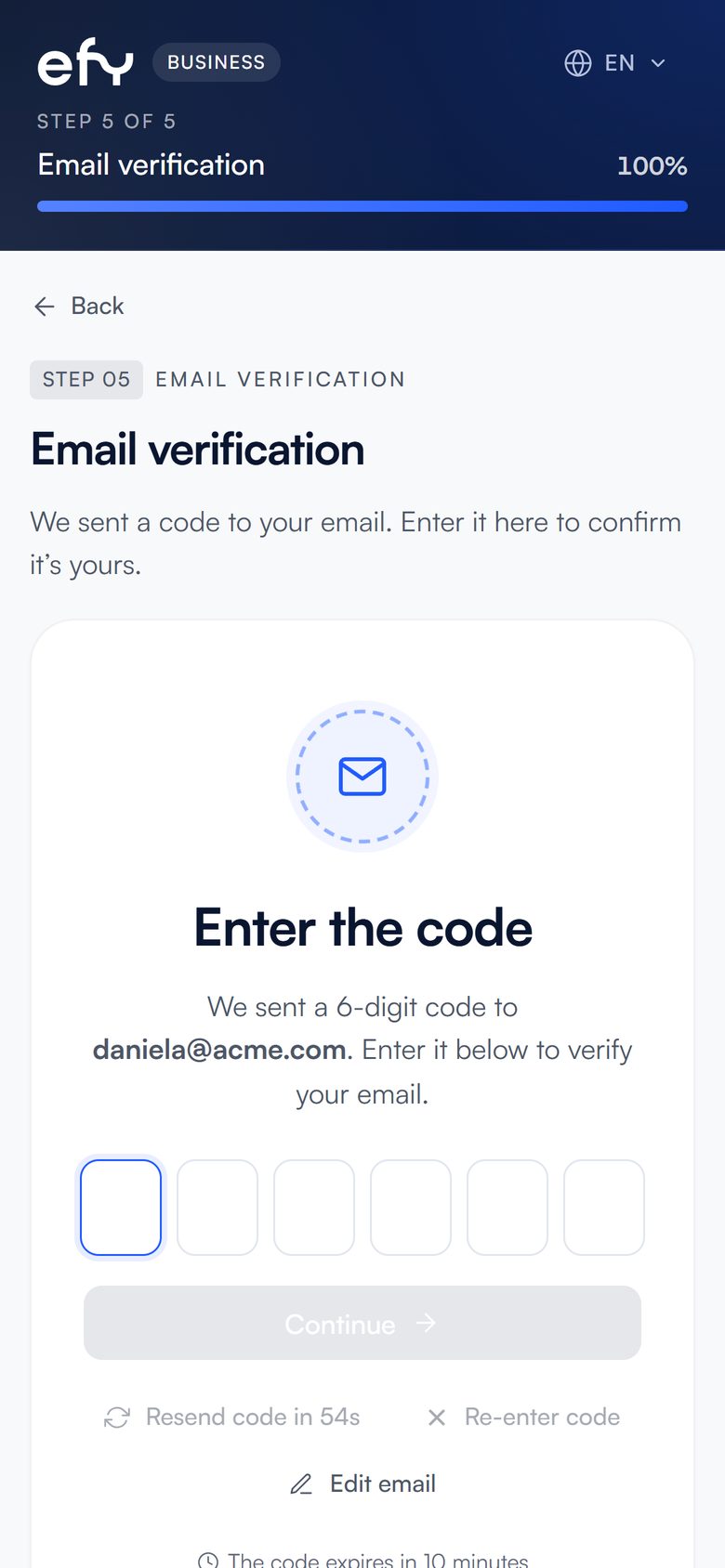
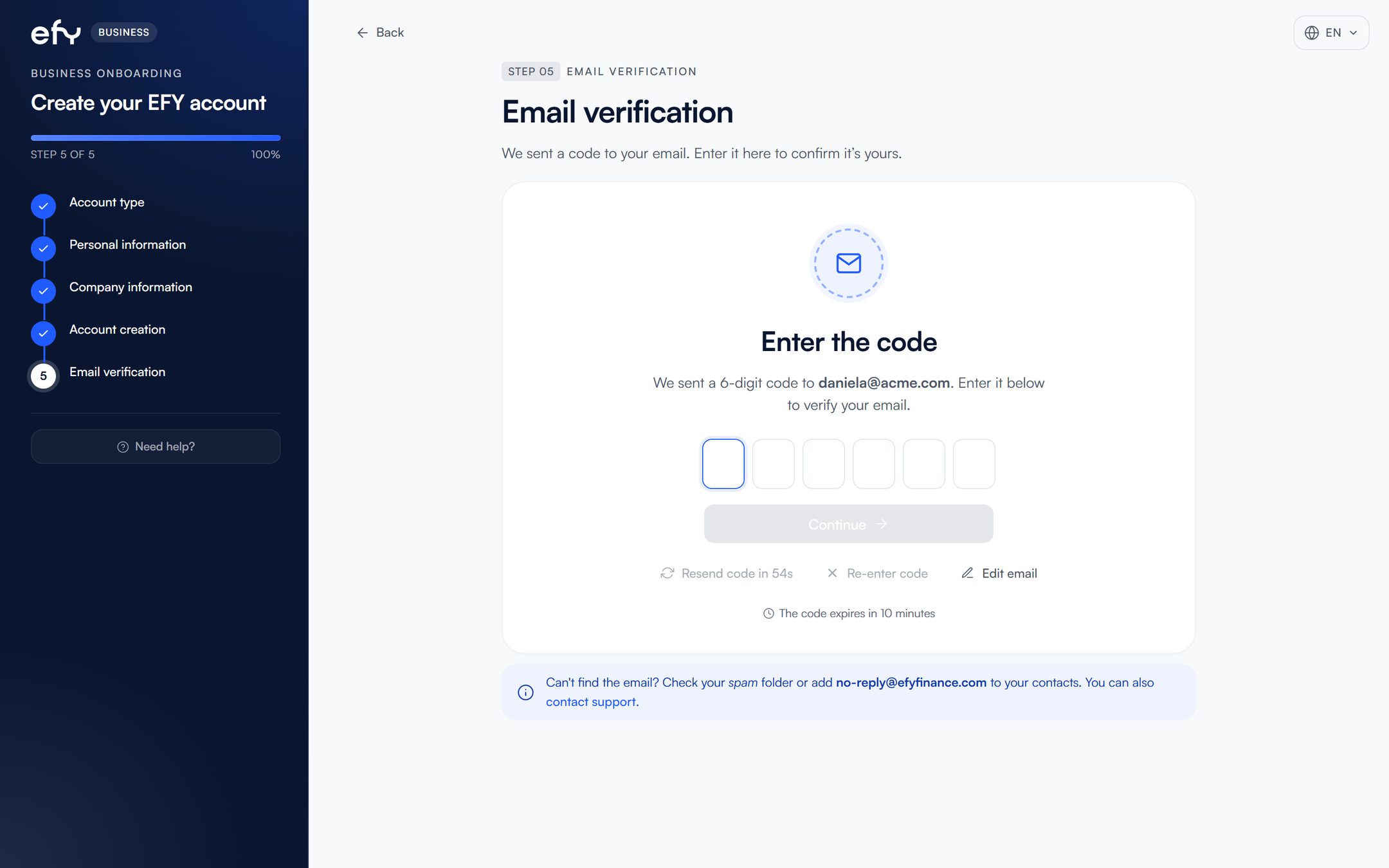
If you do not see it, check your spam folder.
Compliance reviews the documents of the company and of the legal representative.
Log in to the platform and open the Verification section.
There you see which documents are missing and the status of each one.
Upload the company documents and those of the legal representative.
If Compliance asks for anything else, it shows up in that same section.
Every time you log in, we will ask for a code from your authenticator app.
Download Google Authenticator on your phone.
 Google Authenticator
It generates the 6-digit code efy asks for every time you log in.
Point your phone's camera at the code for your system and the download opens.Tap the code for your system and the download opens.
Turn on two-step verification and scan the code efy shows you with that app.
For companies it is required to operate.
You now know the whole process.
Go to sign-up